
Managing a single Twitter (X) account used to be enough. Today, serious crypto projects, Web3 brands, NFT studios, trading communities, and growth agencies operate entire fleets of accounts at once. There is the main brand account, founder accounts, community accounts, regional accounts, influencer partners, and support channels. When all of these accounts are posting, replying, and interacting across the same narrative, the brand feels alive, dominant, and everywhere at once.
However, manually logging in and out of dozens of accounts is not only inefficient—it is dangerous. It leads to missed messages, inconsistent posting, security risks, and lost growth opportunities. This is why professional teams now rely on a centralized system that allows them to connect multiple Twitter accounts into one unified dashboard. This article explains exactly how that works, why it matters, and how modern crypto teams use it to control attention at scale.
What a Multi-Account Twitter Dashboard Actually Is?

A multi-account Twitter dashboard is a centralized interface that allows you to manage, publish, monitor, and respond from many Twitter accounts in one place. Instead of opening multiple browsers, logging into different profiles, or switching devices, everything is controlled from a single platform.
From one dashboard, a team can:
- Post from any connected Twitter account
- Schedule tweets across multiple accounts
- Reply to mentions and DMs
- Monitor keywords, hashtags, and trends
- Track performance analytics
- Assign roles to different team members
This is not simply convenience. It is operational control. When you have ten, twenty, or one hundred accounts pushing coordinated messages, the dashboard becomes your command center.
Without a dashboard, every account becomes isolated. With a dashboard, the entire network moves together.
How Twitter (X) Allows Multiple Account Access?

Twitter (X) was built with teams, brands, and agencies in mind. It supports third-party access through an official system called OAuth and APIs.
OAuth is the system that allows platforms to connect to your Twitter account without needing your password. When you connect an account to a dashboard, you log into X and approve access. The dashboard receives a token that allows it to post, read, and interact on your behalf, within the permissions you grant.
This is how:
- TweetDeck works
- Hootsuite works
- Sprout Social works
- Buffer works
- Every enterprise-grade social media tool works
These platforms do not hack Twitter. They operate through officially supported infrastructure. That means:
- You can connect many accounts
- You can revoke access anytime
- You never share passwords
- Twitter recognizes the activity as legitimate
For teams running multiple crypto or Web3 accounts, this is the only scalable way to operate.
The Two Ways to Connect Accounts to One Dashboard
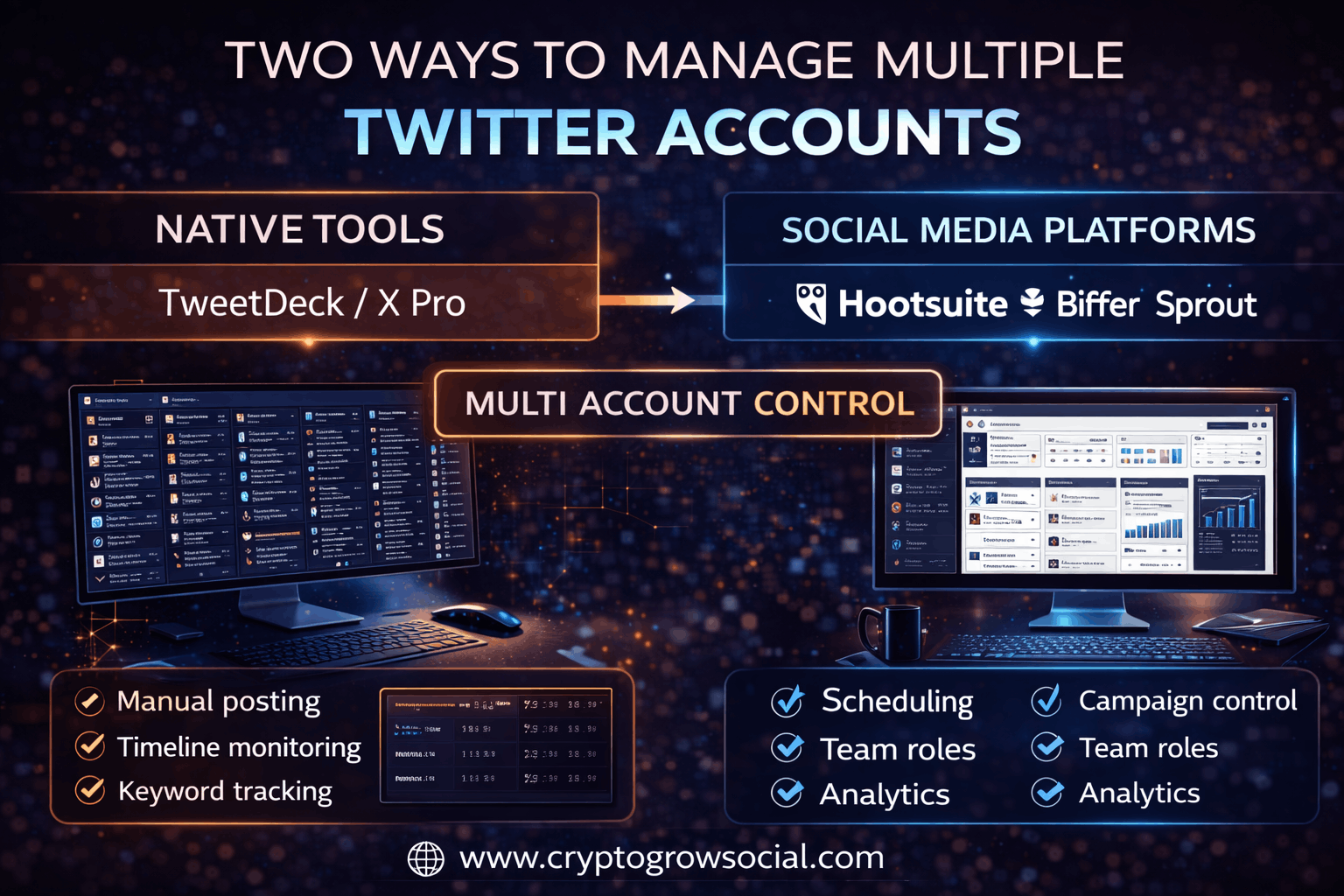
There are two main paths to building a multi-account Twitter dashboard: native tools and third-party platforms.
Using Native X Tools
Twitter offers its own professional tools, most notably TweetDeck (now part of X Pro). TweetDeck allows you to add multiple Twitter accounts and switch between them instantly.
With TweetDeck you can:
- Post from multiple accounts
- Monitor timelines side by side
- Track keywords, hashtags, and lists
- Follow conversations in real time
However, TweetDeck is designed for manual management, not automation or large-scale coordination. It is excellent for journalists, community managers, and traders who handle a few accounts, but it lacks:
- Advanced scheduling
- Cross-account campaign management
- Team permissions
- Deep analytics
For crypto teams running coordinated growth campaigns, this quickly becomes limiting.
Using Third-Party Social Media Platforms
Professional social media platforms go far beyond what X provides natively. These include:
- Hootsuite
- Sprout Social
- Buffer
- SocialPilot
- Later
- Agorapulse
These platforms allow you to connect dozens or even hundreds of Twitter accounts to a single workspace.
They provide:
- Cross-account scheduling
- Content libraries
- Campaign tracking
- Team roles
- Approval workflows
- Analytics
Instead of thinking in terms of “accounts,” you start thinking in terms of “campaigns.”
This is how professional crypto agencies and Web3 marketing teams operate.
What Happens Behind the Scenes When You Connect Accounts?
When you connect a Twitter account to a dashboard, the process looks like this:
- You click “Add Account” in the platform
- You are redirected to X
- You log into the Twitter account
- You approve the permissions
- X sends an authorization token back to the dashboard
From that moment on, the dashboard can act on behalf of the account within the scope you allowed.
It does not store your password.
It does not bypass Twitter.
It does not do anything hidden.
It simply becomes a remote control for your account.
This is why professional teams never share login details. They share access through OAuth.
Step-by-Step: How to Connect Multiple Twitter Accounts
While every platform looks different, the process is always the same.
- Choose a social media management platform
- Create a workspace or organization
- Click “Add Twitter Account”
- Log into the Twitter account
- Approve permissions
- Repeat for each account
- Organize accounts into groups or folders
Once this is done, you can:
- Select which account to post from
- Schedule posts across multiple accounts
- Assign accounts to team members
- Monitor all mentions in one inbox
You have turned chaos into infrastructure.
How Crypto Teams and Web3 Projects Use Dashboards?
Crypto teams do not run one account. They run ecosystems.
A typical Web3 project might have:
- A main brand account
- Founder accounts
- Developer accounts
- Community accounts
- Regional language accounts
- Influencer partnership accounts
- Support and announcement channels
A dashboard allows all of these to be operated together.
This matters because crypto Twitter is not about posting. It is about appearing everywhere at once. When your brand shows up in threads, replies, debates, and timelines through multiple voices, it creates the perception of momentum.
That perception is what moves markets.
Scheduling & Campaign Control at Scale
The real power of a multi-account dashboard is not just access. It is coordination.
From one interface, a team can:
- Schedule 100 tweets across 20 accounts in minutes
- Coordinate announcements
- Stagger replies
- Launch campaigns
- Run narratives across weeks
Instead of hoping someone logs in at the right time, everything is pre-planned, tracked, and measured.
This is how major crypto launches are executed.
The Risk of Not Using a Central Dashboard
Teams that try to manage multiple accounts manually run into the same problems:
- Passwords get shared
- Accounts get locked
- People lose access
- Replies are missed
- Content becomes inconsistent
More importantly, security collapses. When you share login credentials, you create a single point of failure. When you use OAuth dashboards, every action is logged, controlled, and revocable.
In crypto, where brand reputation is everything, this matters.
Security & Compliance Best Practices
If you manage multiple Twitter accounts, follow these rules:
- Never share passwords
- Use OAuth-based tools
- Enable 2FA on every account
- Limit permissions by role
- Remove access when people leave
This keeps your operation safe, stable, and scalable.
How CryptoGrowSocial Solves This at the Infrastructure Level?

Traditional dashboards assume you already have accounts. They simply help you manage them.
CryptoGrowSocial operates at a much deeper level.
Instead of giving you tools to control accounts, it gives you access to a complete, professional-grade Twitter distribution layer.
This is where XLaunchPad and XLaunchPad Pro come in.
XLaunchPad — Managed Distribution
XLaunchPad plugs your project into an existing, live network of crypto-focused Twitter accounts. These accounts already follow traders, interact with influencers, and participate in market conversations.
You do not log into accounts.
You do not manage profiles.
You do not run a dashboard.
You provide your narrative, and the network places it into the right conversations at the right time.
From your perspective, this feels like a distribution engine rather than a software tool.
XLaunchPad Pro — Your Own Multi-Account Command Center
XLaunchPad Pro is for teams that want full ownership.
Instead of connecting accounts to a dashboard, you receive a ready-built multi-account operating system:
- Pre-connected Twitter accounts
- Centralized management interface
- Automation layers
- Narrative control
- Engagement systems
You are not assembling a dashboard. You are receiving one that already runs.
This is the difference between renting access and owning infrastructure.
Build vs Plug Into a Network
You can try to build your own multi-account system:
- Buy accounts
- Warm them
- Secure them
- Connect them to tools
- Manage proxies
- Handle bans
Or you can plug into a network that already exists.
For most crypto teams, the second option is faster, safer, and far cheaper.
Conclusion
Connecting multiple Twitter accounts to one dashboard is no longer optional. It is how modern brands, crypto projects, and Web3 communities operate at scale.
Whether you use native tools, third-party platforms, or full distribution systems like CryptoGrowSocial, the principle is the same: attention is infrastructure, and dashboards are how you control it.
In a market where perception drives price, the teams that control their Twitter networks control their future.